Wednesday, 3 August 2016

Email with subject line “Re:Forward Statement.” leads to #InfoStealer malware


Fake invoice statement with the subject of  "Re:Forward Statement." pretending to come from “Lucy Bustoslucy@instonemarble.com” (or random senders)  with a malicious zip attachment  is another one from the current bot runs which try to download various Trojans and password stealers especially banking Trojans like Dridex or Dyreza and ransomware like Locky, cryptolocker or Teslacrypt.
The attachment of file is .ace (a compression file format) this is same like zip or rar. It does contain an executable file which steals passwords from browser, windows, email clients etc.
Sender email address could be spoofed or masked hence Don’t try to respond by phone or email, all you will do is end up with an innocent person or company who have had their details spoofed and picked at random from a long list that the bad guys have previously found. Attackers use email addresses and subjects that will scare or entice a user to read the email and open the attachment. A very high proportion are being targeted at small and medium size businesses, with the hope of getting a better response than they do from consumers.
Sender domain has not been hacked or had their email or other servers compromised. They are not sending the emails to you. They are just innocent victims in exactly the same way as every recipient of these emails.


----------------------------------- Email information (Sample) -----------------------------------
From:
Lucy Bustos <lucy@instonemarble.com>
Cc:
Subject:
Re:Forward Statement.
Attachment: File04885602.ace
Message:

Good Morning,
Barbara hasn't been in the office for a while and there is some open invoices that I need to collect!
Please see attached and let me know if you have any questions! 
Sincerely,
Lucy Bustos
INSTONE, Marble
1629 Doolittle Drive
San Leandro, CA 94577
(510) 351-1900 Phone
(510) 351-1905 Fax
lucy@instonemarble.com
INSTONE Marble Confidential Communication
This electronic mail message and any attachments are intended only for the use of the addressee(s) named above and may contain information that is privileged, confidential and exempt from disclosure under applicable law. If you are not an intended recipient, or the employee or agent responsible for delivering this e-mail to the intended redipient, you are hereby notified that any dissemination, distribution or copying of this communication is strictly prohibited. If you received this e-mail message in error, please immediatley notify the sender by replying to this message or by telephone. Thank you.


----------------------------------- Email information -----------------------------------

Facts and Findings:
  • The attachment is an .ACE (Compressed file) which is a compression file type. ACE file compress and decompress files under Microsoft windows. It contains an executable file MD5: 3b634e73069dbed90136b09cad6cf589 which works as Infostealer malware.
  • Malicious ace analysis:
    • VirusTotal: Malicious
    • MD5: 8566e4a760587cbb42ff01d2610ed929
    • SHA1: 23fdcb57a6de77f2adf60ca5c99bf7c797fef3ce
    • SHA 256: 6ac2cb9fc70143f5fa6fe2ff6b819f74ecdc74decb95f81ae7c2f7f37d8ed26f
    • Common Malware name: Trojan.Autoit
  • Malicious EXE Analysis:
    • VirusTotal: Malicious
    • MD5: 3b634e73069dbed90136b09cad6cf589
    • SHA1: 5f7857525ed6c64cc1a239a928f082d38fc1bcdc
    • SHA256: c5907225dd3805129f48189420ac7fd3d2c2f811e3ac5a865035f4500518e5c8
    • It set value on registry to make it as startup service:
      • \REGISTRY\MACHINE\SOFTWARE\Wow6432Node\Microsoft\Windows\CurrentVersion\RunOnce\"wextract_cleanup0" 
           = rundll32.exe C:\Windows\system32\advpack.dll,DelNodeRunDLL32 "C:\Users\ADMINI~1\AppData\Local\T
           emp\IXP000.TMP\"
    • New files were created C:\Users\Administrator\AppData\Roaming\WindowsUpdate.exe with help of RegAsm.exe

Monday, 20 June 2016


List of New Ransomware discovered in last 30 day's.


    From 28 May
    • The Zcrypt Ransomware is Released
    A new ransomware called Zcrypt.
    When 
    user infect with Zcrypt it will encrypt user data and add the .zcrypt extension to the filenames. And then demand ransom for decryption key for 1.2 bitcoins. 


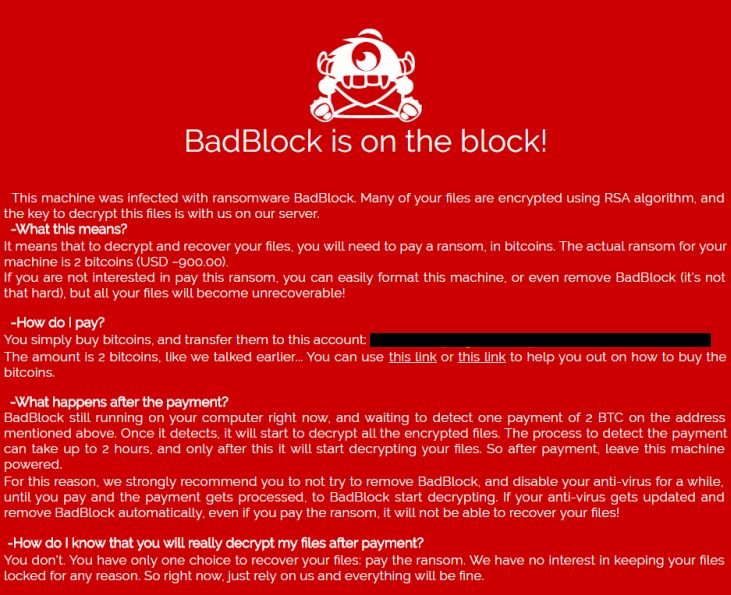
    • New ransomware called BadBlock was released
    A ransomware called BadBlock. When user infect with this, it encrypts user data and then requests 2 bitcoins to get your encryption.


    ------------------------------------------------------------------------------------------------------------------------------------------------
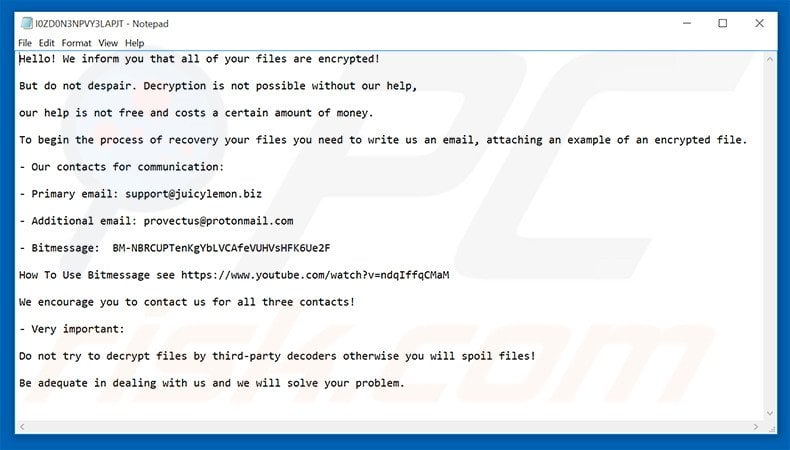
    • New Ransomware called JuicyLemon
    A ransomware called JuicyLemon. When users PC encrypted by JuicyLemon, they instructed user to email support@juicylemon.biz for payment instructions. Victim's who have sent emails report that, juicylemon requesting 1,000 Euros in order to receive the decryption key.


    ------------------------------------------------------------------------------------------------------------------------------------------------
      From June 4th 2016
      • Cooking Up Autumn (Herbst) Ransomware.
      A ransomware called Herbst that targets German victims. This ransomware will encrypt data files with AES encryption and append the .herbst extension to encrypted files. It will demand approximately ~$50 USD to get a decryption key.


      -------------------------------------------------------------------------------------------------------------------------------------------------
      • The new RAA Ransomware is created entirely using Javascript
      The RAA Ransomware is created entirely in Javascript.
      This ransomware utilizes the CryptoJS library so that AES encryption could be used to encrypt the files.

      RAA is currently being distributed via emails as attachments that pretend to be doc files.  When the JS file is opened it will encrypt the computer and then demand a ransom of ~$250 USD to get the files back. To make matters worse, it will also extract the embedded password stealing malware called Pony from the JS file and install it onto the onto the victim's computer. Encrypted files will have the .locked extension with filename.


      -------------------------------------------------------------------------------------------------------------------------------------------------
      • The Ded Cryptor Ransomware thinks you have been Naughty this Year.
      A new EDA2 ransomware was discovered called "Ded Cryptor". This ransomware has been around for quite a while and targets both Russian and English speaking victims. They request 2 bitcoins get the decryption key and there is no way to decrypt for free at this time.


      When user infected with this it will add .ded extension in filename. Ded Cryptor will also change the wallpaper of the Windows desktop to an image that contains the ransom amount and the email address, dedcrypt@sigaint.org, which the victim is told to email for payment instructions.


      -------------------------------------------------------------------------------------------------------------------------------------------------
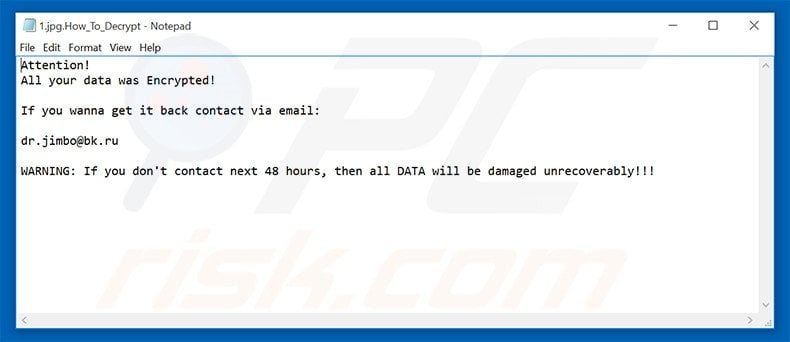
      A new ransomware that encrypts your data and add the .encrypted extension and then tells you to email dr.jimbo@bk.ru for payment instructions. At this time there is no way to decrypt encrypted files for free.


      • New CryptoShocker Ransomware Fails to Impress
      A one more New ransomware has been discovered. that encrypts user data using AES encryption and then demands $200 USD worth of bitcoins to get your files back. When CryptoShocker encrypts a victim's files it will add the .locked extension in filename. It will also create a shortcut on your desktop to their TOR decryption site called ATTENTION.url. The decryption site also contains the cryptoshocker@tutanota.com email for the developer.


      -------------------------------------------------------------------------------------------------------------------------------------------------
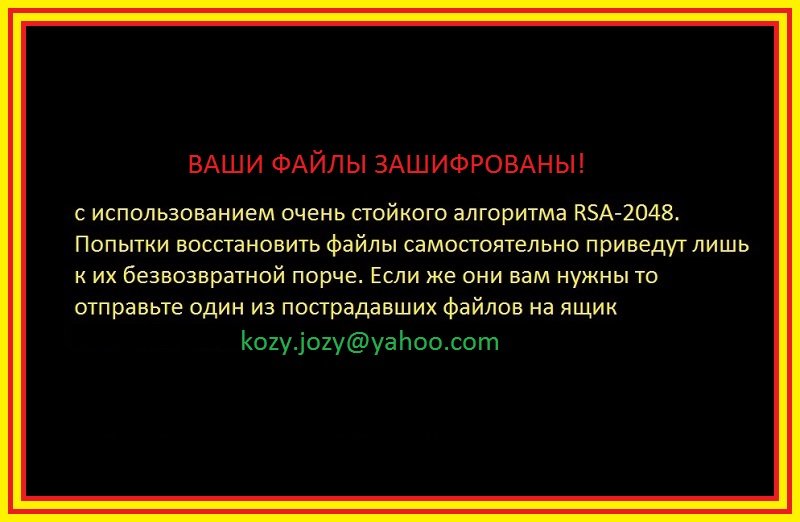
      • Kozy.Jozy Ransomware
      A new ransomware that encrypts a victim's files and sets the background to a ransom note in Russian with the filename "w.jpg" that asks to contact the criminals at kozy.jozy@yahoo.com.


      The following extensions are targeted:.cd, .ldf, .mdf, .max, .dbf, .epf, .1cd, .md, .pdf, .ppt, .xls, .doc, .arj, .tar, .7z, .rar, .zip, .tif, .jpg, .bmp, .png, .cdr, .psd, .jpeg, .docx, .xlsx, .pptx, .accdb, .mdb, .rtf, .odt, .ods, .odb, .odg,
      Shadow copies are deleted by this ransomware.

      Be careful and do not open any emails if you do not know the sender and specifically do not open any attachments and any unknown links unless you are expecting from someone.
      because researcher see most of the cyber criminal target users through phishing E-mails.
      -------------------------------------------------------------------------------------------------------------------------------------------------

      Thursday, 2 June 2016

      SilentShade Ransomware

      A new ransomware has been discovered that encrypts files using AES-256. Dubbed "SilentShade", but runnig by theBlackShades Crypter, it add extension .Silent for all encrypted files.


      Ranosomware left Hacked.txt with encrypted files, which is displayed in English and Russian language. The ransom asked for 30$ or 0.0700 Bitcoin.


      The ransomware also left the files "YourID.txt" and "Ваш идентификатор" with the victim's ID. which contains information like this


      The following extensions are targeted by SilentShade Ransomware.

      .3dm, .3ds, .3fr, .3g2, .3gp, .3gp, .7z, .aac, .AAC, .ach, .ai, .apk, .ar, .arw, .asf, .asp, .asx, .avi, .AVI, .back, .bak, .bay, .bz2, .c, .cdr, .cer, .cpp, .cr2, .crt, .crw, .cs, .cs, .CSS, .csv, .db, .dbf, .dcr, .dds, .der, .des, .dng, .doc, .docm, .docx, .dtd, .dwg, .dxf, .dxg, .eml, .eps, .ert, .fla, .fla, .flac, .flv, .FLV, .fon, .gif, .gz, .h, .hpp, .html, .html, .ico, .iif, .indd, .ini, .ipe, .ipg, .jar, .java, .JNG, .jp2, .jpeg, .jpg, .JPG, .jsp, .kdc, .key, .log, .lua, .lz, .m, .m4a, .m4v, .max, .mda, .mdb, .mdf, .mef, .mhtml, .MKV, .mov, .MP2, .mp3, .mp4, .MP4, .MP4, .mpe, .mpeg, .mpg, .mpg, .mrw, .msg, .myo, .nd, .nef, .nk2, .nrw, .oab, .obi, .odb, .odc, .odm, .odp, .ods, .odt, .orf, .ost, .p12, .p7b, .p7c, .pab, .pas, .PC1, .PC2, .PC3, .pct, .pdb, .pdd, .pdf, .pem, .per, .pfx, .php, .pl, .png, .PNS, .PPJ, .pps, .ppt, .pptm, .pptx, .prf, .ps, .psd, .pst, .ptx, .py, .qba, .qbb, .qbm, .qbr, .qbw, .qbx, .qby, .r3d, .raf, .rar, .raw, .rm, .rss, .rtf, .rw2, .rwl, .rz, .s7z, .sql, .sr2, .srf, .str, .swf, .tar, .text, .txt, .vb, .vob, .wav, .wb2, .wma, .wmv, .wpd, .wps, .x3f, .xhtml, .xlk, .xlr, .xls, .xlsb, .xlsm, .xlsx, .xml, .yuv, .zip, .zipx
       
      This ransomware will also delete shadow copies of systems,  also disable Task Manager and disable system Restore.

      Thursday, 26 May 2016

      Self Defence Security Tips:

      Set your folder options to “show known file types”


      We have seen lot of users infected by opening email attachments. where they think that the attachment is a file which they are expecting from someone. User need to enable this option "show file types" because we can never depend on just the icon, because that can be faked very easily.

      User always need to check the file extension at every time. Any time user see the files with.DOC, XLS, PDF icon but that file having .EXE .COM, .JS, or .SCR extension, That time user need to remember that the programs will be run on user computer and that are not a picture, video, document or other file that user just look it.

      Computer options set at the default that it comes PC, which is not to show known file types, then user are seriously at risk of being infected.

      In this situation

      if User will download that attachment file and try to open it, then User will see the files like this


      Now If user do a simple change in settings and Set your folder options to “show known file types”.  then  user get these  slightly different looking files. when user open the email attachment's


      Now user can clearly see that the alleged PDF or DOC or XLS file is not what it pretends to be. It is a .exe , that is a program that will run on your computer.  when user will click on zip file it will give you a message for to extract the contents, extracted content will be a fake file. BUT user cannot be sure unless user pc have “show known file types” option enabled.

      This doesn’t just apply to email attachments. Its to be apply when User will follow a link from an email, Facebook link or personal message any other web link, that tells user to download a picture, pdf file, word document, video or sound clip.

      Remember this :

      • Never open any file directly from a website, always save it on your computer and verify that file extension carefully and don’t believe on icon.
      • Make sure you have enable this option "show known file types".
      • Always check file extension.

      Be careful and do not open any emails if you do not know the sender and specifically do not open any attachments unless you are expecting from someone.


      Saturday, 21 May 2016

      SPAM MALWARE: You got a voice message! 

      WhatsApp delivers #Locky


      An email with contain this subject "You got a voice message!" pretending to come from  WhatsApp <Cleo477@gmx.de>  with a zip attachment is another one spam mail who delivered Locky Ransomware.
      They use email addresses and subjects that will entice a user to read the email and open the attachment. A very high proportion are being targeted at small and medium size businesses, with the hope of getting a better response than they do from consumers. they has not been hacked or had their email or other servers compromised. They are not sending the emails to you.They are just innocent victims in exactly the same way as every recipient of these emails.

      One of the  emails looks like:

      {
      From: WhatsApp <Cleo477@gmx.de>

      Date: Thu 19/05/2016 10:58

      Subject: You got a voice message!

      Attachment: MSG0002959373787821.wav.zip

      Body content:


      WhatsApp
      Attachment:
      MSG0002959373787821.wav (08:06 AM)

      }


      Screenshot of mail


      These malicious attachments normally have a password stealing component, with the aim of stealing your bank, PayPal or other financial details along with your email or FTP ( web space) log in credentials. Many of them are also designed to specifically steal your Facebook and other social network log in details. A very high proportion are Ransomware versions that encrypt your files and demand money ( about £350/$400) to recover the files.


      Never just blindly click on the file in your email program. Always save the file to your downloads folder, so you can check it first. Many malicious files that are attached to emails will have a faked extension.


      So we suggested if you see .JS, .EXE, .COM, .PIF,  .SCR, .HTA at the end of the file name DO NOT click on it or try to open it, it will infect your machine or hacked your password...

      Thursday, 19 May 2016

      Android Users Need To Know : "Viking Horde" A New Type of Android Malware on Google Play


      Tens of thousands of Android users are thought to have fallen victim to a newly-discovered malware, which enlists devices as part of a hacker-controlled botnet.

      Researchers who discovered the malware, said that the malware is "persistent," and is "difficult or even impossible to remove manually.

      The malware is dubbed "Viking Horde," after one of the popular apps it poses as. The sophisticated malware campaign consists of a number of games and apps that are readily available through Google Play, the app store for Android devices.

      When the user installs the app, it will automatically join a botnet -- a network of devices controlled by an attacker -- which disguise ad clicks to generate money.

      The app also has full access to parts of the devices it infects, potentially leading to theft of personal data.

      Some user reviews claim the app also sends premium text messages, which can be used to make money but also conduct distributed denial-of-service (DDoS) attacks against users through persistent message sending.

      Most Android phones aren't rooted, which allow the owner to deeply customize the device by opening up access to parts of the operating system that are usually locked down. But if the Android phone is rooted, the malware will download additional components that makes the malware almost impossible to remove.

      But the researchers warn that the malware can be used for far more nefarious purposes, such as remote code execution, which allows an attacker to compromise the data on the device.

      So far, the malware-ridden apps have been downloaded tens of thousands of times -- likely more. According to the researchers, one of the apps made it as a top free app in the Google Play store.

      At the time of writing, the apps are still in the Google Play store -- albeit with a considerable 1-star rating from the user reviewing community.


      Wednesday, 18 May 2016

      PORN APPS BEHIND WAVE OF ANDROID LOCKSCREEN ATTACKS


      Infection Cycle 

      Upon installation the app requests for Device Administrator privileges. On clicking the application or opening the System Settings app we see a screen as shown in the figure below. This screen appears to be the ransom/lockscreen but the user can easily come out of this view by clicking the Home or Recent Apps buttons. 

      Traditionally lockscreens cover the entire screen of the device and "lock" the users in a position where the device becomes unusable as the users cannot come out of the lockscreen view. In this campaign, at the moment the victim cannot view contents of the System Settings as the lockscreen is shown. It is interesting to note that there is no demand for ransom of any kind, also the fact that the victim can come out of this view gives an indication that this mechanism might not be completely implemented. 

      Once the application starts running, encoded data is transmitted to multiple domains in the background. The encoding routine is present in each application that is part of this campaign: 

      We observed data being sent to the following domains:
      routstreetcars.com
      highlevelzend.com
      girlszendarno.com
      artflowerstreet.net
      raspberryfog.net


      MALWARE SPAM: Multiple subjects and attachments deliverid Locky ransomware


      Loads and loads of Locky ransomware emails overnight  with varying subjects all  pretending to come from  random senders  with either  zip attachments or word doc macro attachments.
      They use email addresses and subjects that will entice a user to read the email and open the attachment. A very high proportion are being targeted at small and medium size businesses, with the hope of getting a better response than they do from consumers. Some of these as usual appear to come from your own email addres
      Some of the subjects seen include:

      • Your .pdf document is attached
      • Re:
      • Hedy Castaneda
      • Dara Keith

      One of the  emails with a word doc attachment looks like:
      From: Dara Keith <admin@hk-mst.com>
      Date: Tue 17/05/2016 04:49
      Subject: Dara Keith
      Attachment: 706-d4390-lncnvy.dotm
      Body content:
      Hello
      Please find the report attached to this message. The Payment should appear in 1-2 days.  
      Dara Keith


      Alternative body content
      Please review the report attached to this email. The Transfer will be posted within one day.  
      Best regards
      Sandra Kline
      Or
      Please review the document attached to this email. The Payment will be posted in 2 days.  
      Kindest regards
      Aurora Holland
      Or
      Greetings
      Please check the report attached to this email. The Transfer will be posted in 2 days.  
      Maia Peterson
      These malicious attachments normally have a password stealing component, with the aim of stealing your bank, PayPal or other financial details along with your email or FTP ( web space) log in credentials. Many of them are also designed to specifically steal your Facebook and other social network log in details. A very high proportion are Ransomware versions that encrypt your files and demand money ( about £350/$400) to recover the files.

      All the alleged senders, amounts, reference numbers, Bank codes, companies, names of employees, employee positions, email addresses and phone numbers mentioned in the emails are all random. Some of these companies will exist and some won’t.  Don’t try to respond by phone or email, all you will do is end up with an innocent person or company who have had their details spoofed and picked at random from a long list that the bad guys have previously found. The bad guys choose companies, Government departments and organisations  with subjects that are designed to entice you or alarm you into blindly opening the attachment or clicking the link in the email to see what is happening.